Run field teams like clockwork
Geofenced check-ins, real-time chat, task assignments, and attendance reports for your on-site crews — on web and mobile, in one place.
- +Real-time tracking
- +Enterprise-grade
- +Mobile + Web
- +Dedicated support
Everything field ops needs in one place
No more duct-tape between WhatsApp, Excel, and a stopwatch. One app for the crew on-site and the office watching.
Live tracking map
See every active employee pinned on a map, color-coded by in-range, out-of-range, or on break. Updates the instant someone checks in.
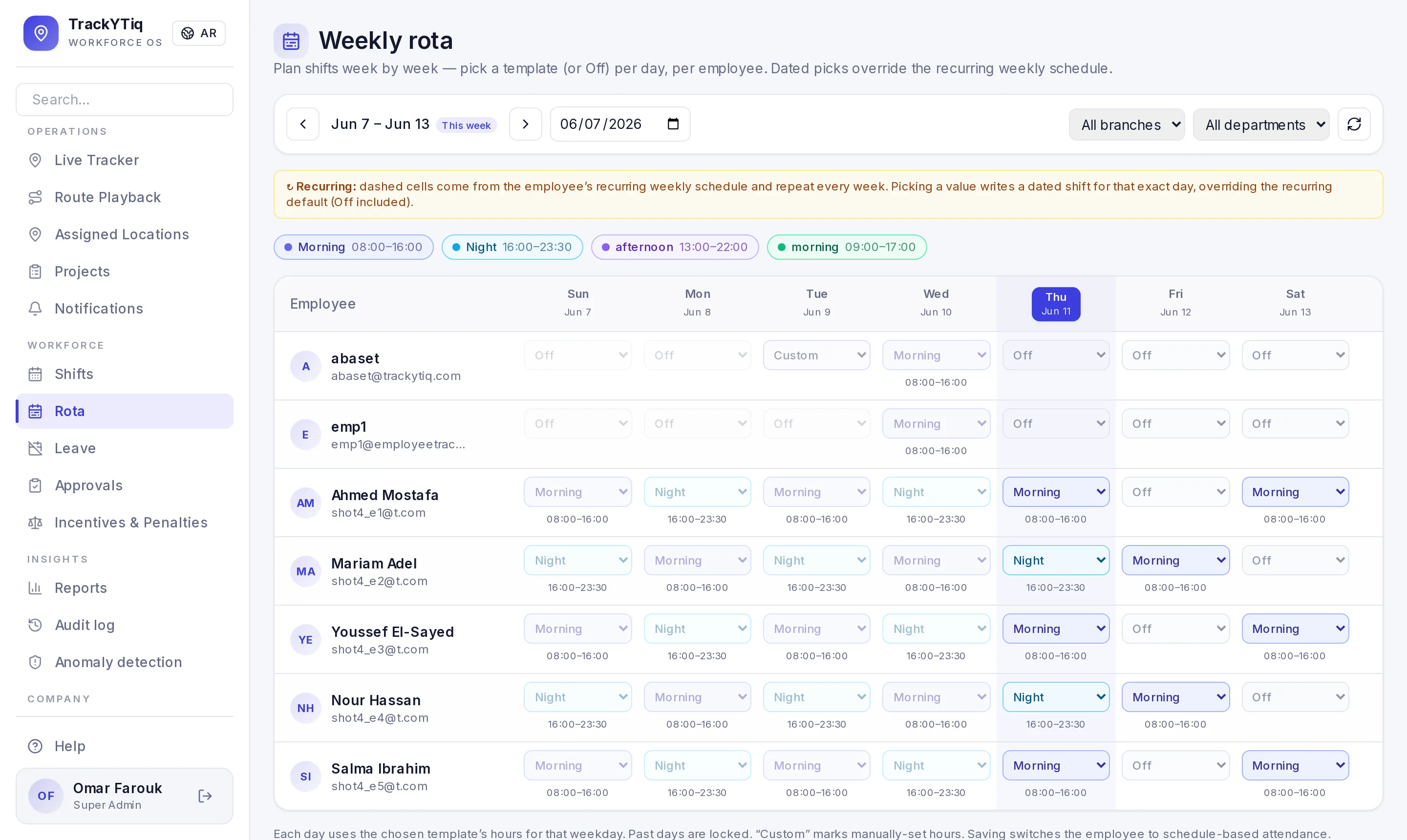
Weekly rota & shift rotation
Plan weeks ahead on a calendar: rotate staff across Morning and Night templates day by day, per branch and department. Dated picks override the weekly default — including explicit days off.
Task assignments
Assign quick tasks to any team member with a due date. Employees track status; admins get overdue alerts.
Team chat with mentions
Per-project chat with @-mentions, file attachments, and offline-tolerant delivery.
Smart notifications
One inbox for mentions, task assignments, delayed items, and missed shifts. Live via socket, cached for offline.
Attendance reports
Per-day breakdown of check-ins, active minutes, break time, and anomalies. Export to CSV for payroll.
Shift scheduling
Plan each employee's shifts in advance. The app fires presence-checks at start and flags missed shifts automatically.
Schedule-based attendance
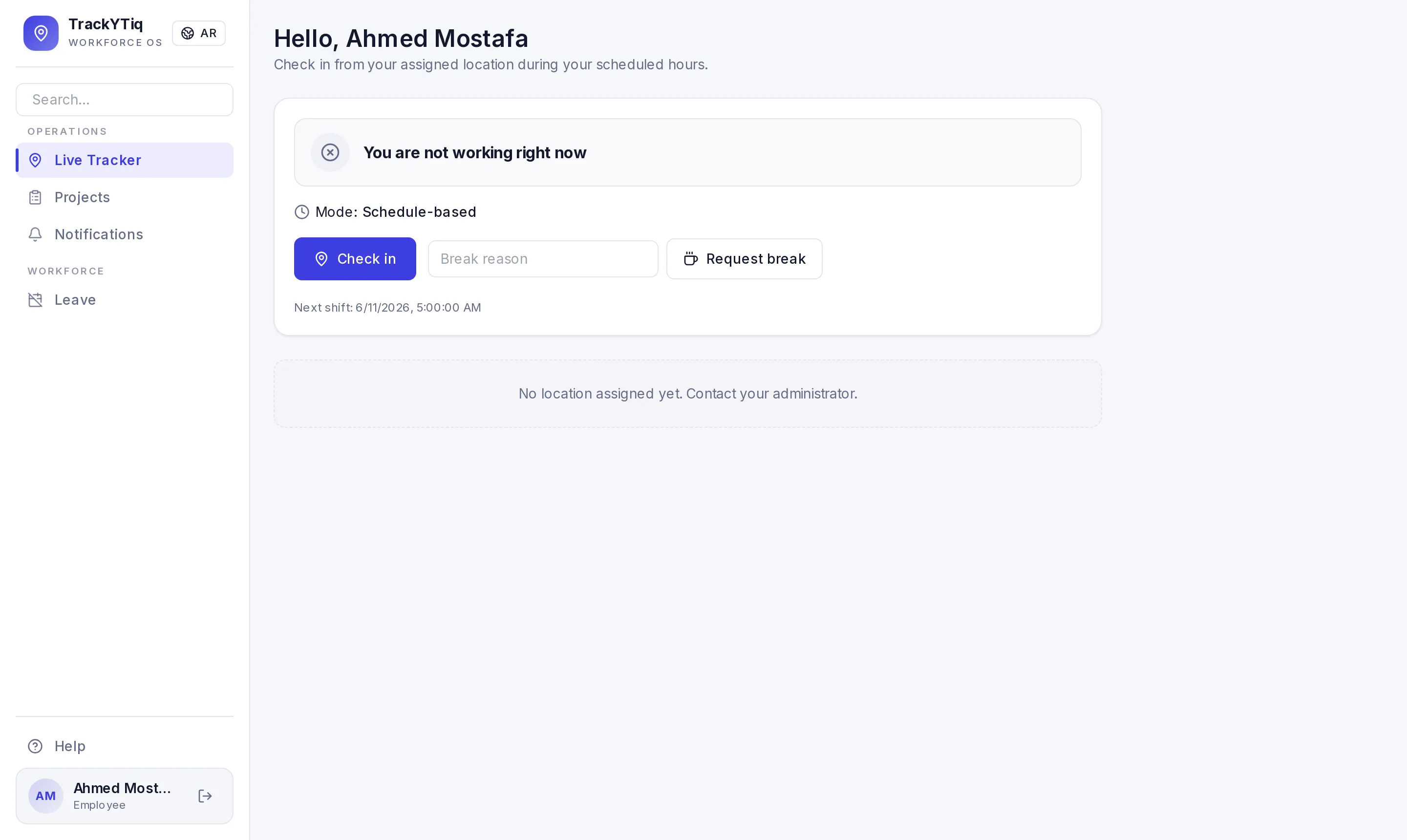
Set each employee's weekly working days and hours in their own timezone — check-in is blocked before their start time or on days off.
Out-of-shift requests
Need to work outside the schedule? Staff tap "request to work now" — once an approver signs off, they're clocked in automatically.
Maker-checker controls
Four-eyes governance: a maker admin's sensitive changes are held until a checker approves, then executed exactly once under an audit trail.
Elastic approval chains
Build ordered, multi-step approver chains per person and per action — with super-admin bypass when speed matters.
Branches & multi-site
Split a company into branches with their own working hours, and confine branch admins and staff to exactly their site.
Geofenced check-ins
Confirm presence with GPS. Supports multiple assigned sites per employee and per-project geofence circles.
Checklist + evidence
Track on-site work with a process checklist. Submit photos, notes, and automatic weather data as evidence.
@-mention notifications
Tag a teammate in chat and they get an instant push — even if the project chat is closed.
Audit log
Every admin action is logged with who-did-what-when, so nothing happens behind your back.
Offline-first mobile app
No signal on site? Check-ins, clock in/out, and break requests are cached locally and synced the moment connectivity returns. Nothing is lost.
Global search
Jump to any project, task, person, or chat message from a single search box in the sidebar.
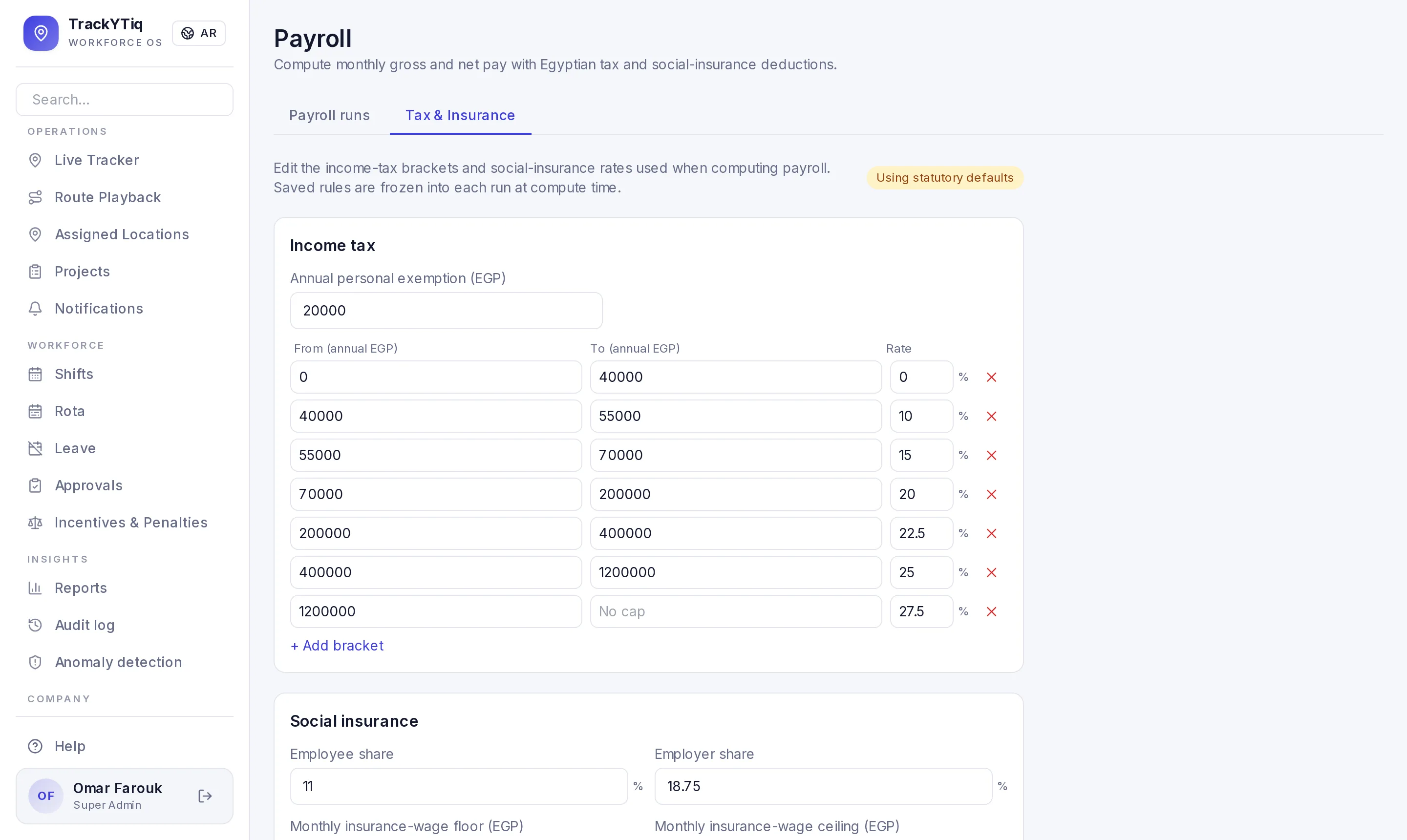
Egyptian payroll, end to end
Gross-to-net with the 2026 tax brackets and social insurance built in — and every rate editable. Itemized payslip breakdowns, tax-exempt staff, CSV and bank-transfer exports.
Per-location pay rates
Different sites, different pay. Multipliers, fixed allowances, or a position-by-site rate matrix — blended automatically by the minutes actually worked at each location.
Positions & default salaries
Kitchen manager, waiter, barista — define job titles once with default salaries that flow into payroll, reports and per-site rate cards.
Overtime & early-leave approvals
Late checkout becomes an overtime request at your configurable rate; leaving early needs a manager sign-off. Every minute that hits payroll was explicitly approved.
Leave that syncs with payroll
Balances, request chains and approvals — and approved leave automatically clears those days from schedules, attendance and payroll. Nobody loses salary for approved time off.
Granular admin permissions
Decide page-by-page what each admin can access. Branch managers see only their branch — across attendance, payroll, audit and projects.
Built-in cheat detection
Buddy-punching ends here: device binding flags two accounts sharing one phone, and presence-gap detection spots devices that go dark on the clock. Logged for review — never auto-punished.
Pause the clock off-site
Optionally stop the working-hours clock the moment someone leaves their geofence — and resume when they return. Applied consistently across live hours, reports and payroll.
Dead zones don’t lose data
No signal in the basement? The app buffers GPS pings offline and syncs them on reconnect, rebuilding the timeline honestly — so coverage gaps never read as cheating.
Real screens, real operation
Not mockups — the actual platform your managers and staff will use every day.
Know where your crew is, right now.
Every check-in lands on the admin map the moment it hits the server. Circles show each worker's assigned geofence so you can see at a glance who's on site and who's drifted.
- 01Live updates via WebSockets — no refresh required
- 02Color-coded pins: in range, out of range, on break
- 03Click a pin for timestamp, distance, and last known site
- 04Works with multiple assigned sites per employee
Built for the whole team
Different screens for different roles — everyone sees what they need, nothing they don't.
- +One-tap check-in with GPS verification
- +Clock in / clock out with live timer
- +See your tasks and upcoming shifts
- +Project chat with the whole team
- +Break requests and history
- +Create and assign tasks per project
- +Track checklist items with photo evidence
- +See who is on-site in real time
- +@-mention anyone on the team
- +Generate PDF project reports
- +Live map of every active employee
- +Attendance reports with CSV export
- +Schedule shifts or allow flexible hours
- +Audit log for every admin action
- +Manage users and geofences visually
From zero to on-the-ground in one afternoon
Set up your company
Create projects, set geofences on a map, invite admins and employees in minutes.
Crew uses the app
Employees check in at their sites, submit evidence, chat with the team, and clock their hours.
You watch it run
Live map, attendance reports, audit log, notifications — everything you need to stay in control.
Pricing tailored to your team.
Every feature included for every user — one plan, no tiers, no add-ons.
Tell us about your team and we'll send a tailored quote within one business day.
- +Real-time GPS tracking + geofencing
- +Projects, tasks, checklists & team chat
- +Shifts, schedules & elastic approvals
- +Branches, multi-company & audit logs
- +Reports, PDF export & push notifications
Frequently asked questions
How does GPS employee tracking work in TrackYTiq?+
Each employee checks in from their phone at an assigned site. The app verifies they are inside the geofence, then sends a light GPS ping every 20 minutes while they work. Managers see a live map; raw location is only tracked on the clock — never off shift.
Does it calculate Egyptian payroll, taxes and social insurance?+
Yes. One click computes gross-to-net for the month using the 2026 Egyptian income-tax brackets and social-insurance rates — and every rate is editable. You get itemized payslips, CSV export and a bank-transfer file.
Can it stop buddy-punching (an employee checking in for a colleague)?+
Yes. Device binding flags two accounts signing in from one phone, and presence-gap detection spots devices that go silent while clocked in. Signals are logged for a manager to review — pay is never auto-docked.
What happens when employees work in areas with no internet?+
The app buffers GPS pings offline and syncs them when the connection returns, rebuilding the timeline honestly. Real dead zones never look like cheating, and no working time is lost.
How much does TrackYTiq cost?+
Pricing is tailored to your team size, with every feature included for every user — no tiers, no add-ons. Email [email protected] and we'll send you a quote.
Ready to stop guessing where your team is?
Sign in and see every check-in, task, and message land live on your dashboard.